Prevent plus-addressing account creation abuse (Part 1)
/ 6 min read
Table of Contents
Introduction
In my previous blog post I demonstrated how to prevent users from using plus addressing (i.e. emails with a plus sign like mary+123@gmail.com) to sign up for your application. The idea behind this is to prevent users from signing up multiple times with the same underlying address (i.e. mary@gmail.com in the example from before) in order to abuse trial benefits.
However, as I also mentioned in that blog post, users may have valid reasons for using plus addressing. For example, some people use an email address like mary+application@gmail.com to identify the application where they used the email address so they can know the source if that email is leaked later on.
What we really want is to allow users to sign up only once with a specific base email address. For example mary+1@gmail.com and mary+2@gmail.com has the same underlying base email address of mary@gmail.com. So, if Mary signs up the first time with mary+1@gmail.com, we want to allow that. However, if Mary attempts to sign on later with an email address like mary+2@gmail.com, we want to disallow it.
There are a couple of ways we can approach this. The first method, which I’ll talk about in this blog post, is easy to implement but has downsides in the user experience. The second method requires a bit more work but has a much better user experience.
Understanding the NormalizedEmail and NormalizedUserName properties
If you have delved into the ASP.NET Core Identity model, you may have noticed that the IdentityUser class (which is the base class used to represent a user in context of ASP.NET Core Identity) has a NormalizedEmail and NormalizedUserName property.
These two properties contain uppercase values for the Email and UserName properties and. They are used for looking up a user by email or username, and are also used to ensure uniqueness in the database. We can confirm this by viewing the source code of the FindByEmailAsync and FindByNameAsync methods of the UserStore class.
Also, when we generate a SQL script for the database generated by EF Core migrations and look at the AspNetUsers table (which is where the IdentityUser instances are stored), we’ll notice two indexes on NormalizedEmail and NormalizedUserName.
create table AspNetUsers(    Id                   TEXT    not null        constraint PK_AspNetUsers            primary key,    AccessFailedCount    INTEGER not null,    ConcurrencyStamp     TEXT,    Email                TEXT,    EmailConfirmed       INTEGER not null,    LockoutEnabled       INTEGER not null,    LockoutEnd           TEXT,    NormalizedEmail      TEXT,    NormalizedUserName   TEXT,    PasswordHash         TEXT,    PhoneNumber          TEXT,    PhoneNumberConfirmed INTEGER not null,    SecurityStamp        TEXT,    TwoFactorEnabled     INTEGER not null,    UserName             TEXT);
create index EmailIndex    on AspNetUsers (NormalizedEmail);
create unique index UserNameIndex    on AspNetUsers (NormalizedUserName);
Uniqueness of the NormalizedUserName is enforced by the index. Uniqueness of the NormalizedEmail is not enforced by an index, since it depends on whether ASP.NET Core Identity is configured to require unique email addresses.
Creating a lookup normalizer
If you delve through the source code of the UserManager class, you will notice that normalizing the email and username is ultimately delegated to ILookupNormalizer which is declared as follows:
public interface ILookupNormalizer{    string? NormalizeName(string? name);
    string? NormalizeEmail(string? email);}
The default implementation can be found in UpperInvariantLookupNormalizer where it is implemented as follows:
public sealed class UpperInvariantLookupNormalizer : ILookupNormalizer{    public string? NormalizeName(string? name)    {        if (name == null)        {            return null;        }        return name.Normalize().ToUpperInvariant();    }
    public string? NormalizeEmail(string? email) => NormalizeName(email);}
As you can see, it converts the email and username or an upper case string using the Invariant culture rules.
Understanding how this all fits together leads us to the conclusion that all we need to do is to create our own implementation of ILookupNormalizer which extracts the primary email address.
public partial class CustomLookupNormalizer : ILookupNormalizer{    [return: NotNullIfNotNull("name")]    public string? NormalizeName(string? name)    {        return ExtractBaseEmailAddress(name);    }
    [return: NotNullIfNotNull("email")]    public string? NormalizeEmail(string? email)    {        return ExtractBaseEmailAddress(email);    }
    private static string? ExtractBaseEmailAddress(string? value)    {        if (value == null)        {            return value;        }
        if (PlusAddressingRegex().Match(value) is not { Success: true } match)        {            return value.Normalize().ToUpperInvariant();        }
        return $"{match.Groups["username"].Value}@{match.Groups["domain"].Value}"            .Normalize()            .ToUpperInvariant();    }
    [GeneratedRegex(@"^(?<username>.+)(?<subaddress>\+.*)@(?<domain>.+)$")]    private static partial Regex PlusAddressingRegex();}
We use a regular expression to detect whether the email address is using plus addressing. If so, we extract the primary address from the email and return that as the normalized username and email.
We also need to register our CustomLookupNormalizer with dependency injection.
builder.Services.AddScoped<ILookupNormalizer, CustomLookupNormalizer>();Trying out our custom lookup normalizer
To try this out, let’s register a user with the email address mary+123@gmail.com.
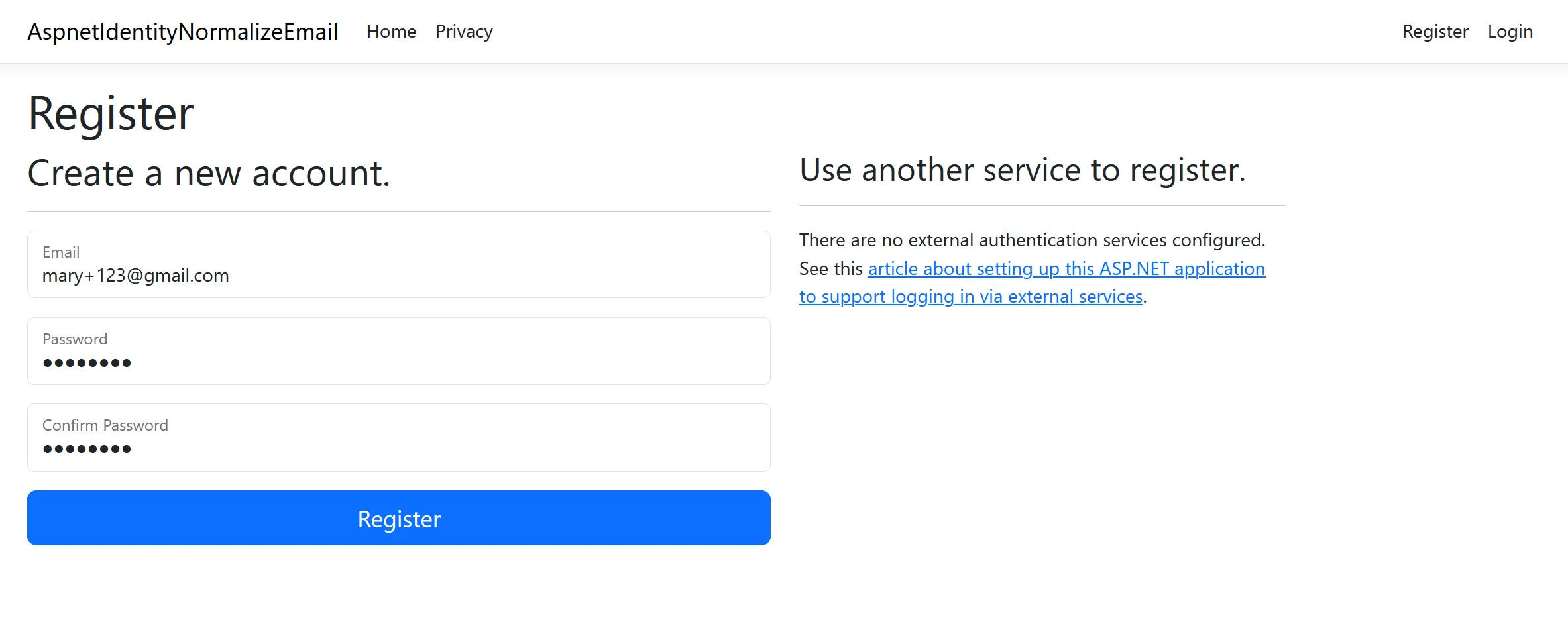
We can inspect the AspNetUsers table in the database and confirm that the NormalizedUserName and NormalizedEmail columns contain the primary email address in upper case - in this case MARY@GMAIL.COM.

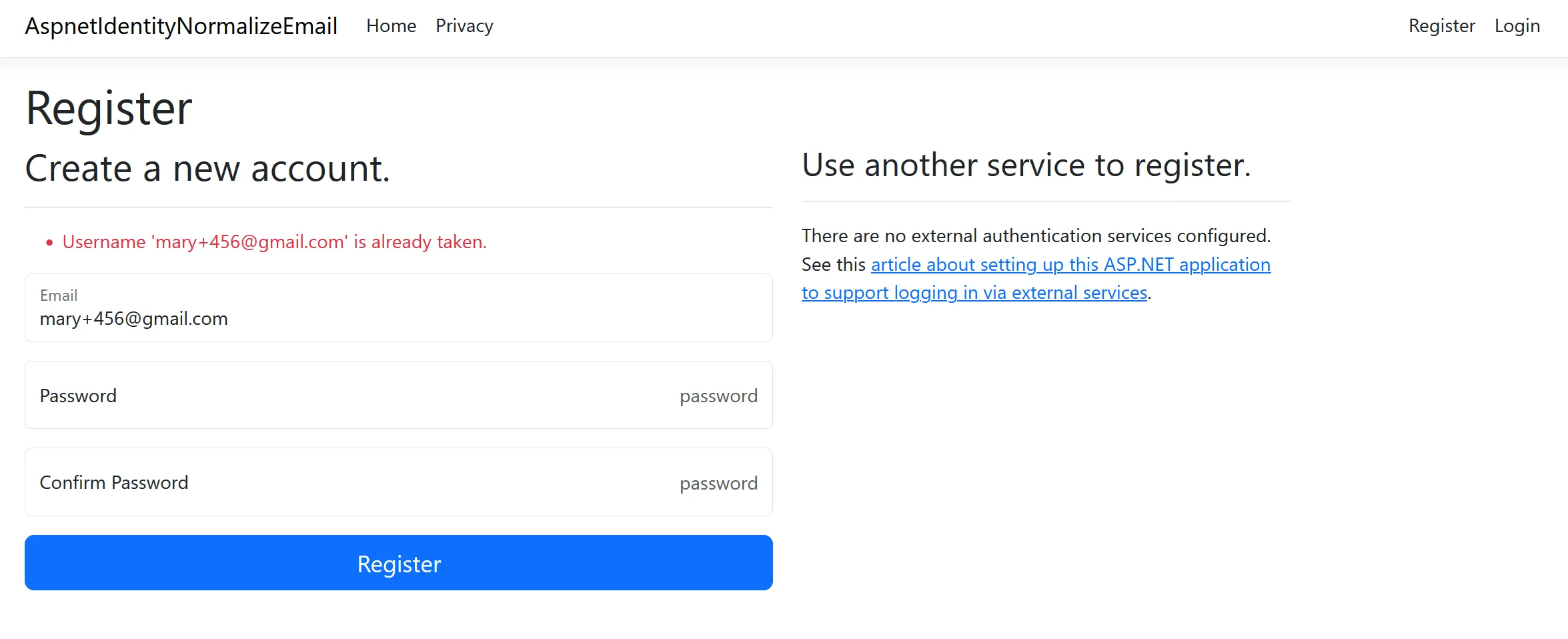
Also, if we attempt to register a different user with an email address that uses the same underlying primary email address, we will get an error.
Problems with this approach
This approach works but, to be frank, it sucks. There are several problems with the user experience when using this approach. You probably already spotted the first problem in the screenshot above.
The error message states “Username ‘mary+456@gmail.com’ is already taken” but that is not really accurate. It is the primary email address which is already used. The error message should be more clear about the fact that you cannot register multiple users with the same underlying primary email address.
Another issue is that, since ASP.NET Core Identity now normalizes all variations of mary@gmail.com to the same email, you can effectively log in with any sub-address of mary@gmail.com. For example, I can log in using mary+456@gmail.com, mary+whatever@gmail.com or just using the primary email address mary@gmail.com.
Here I am logging in using mary@gmail.com:
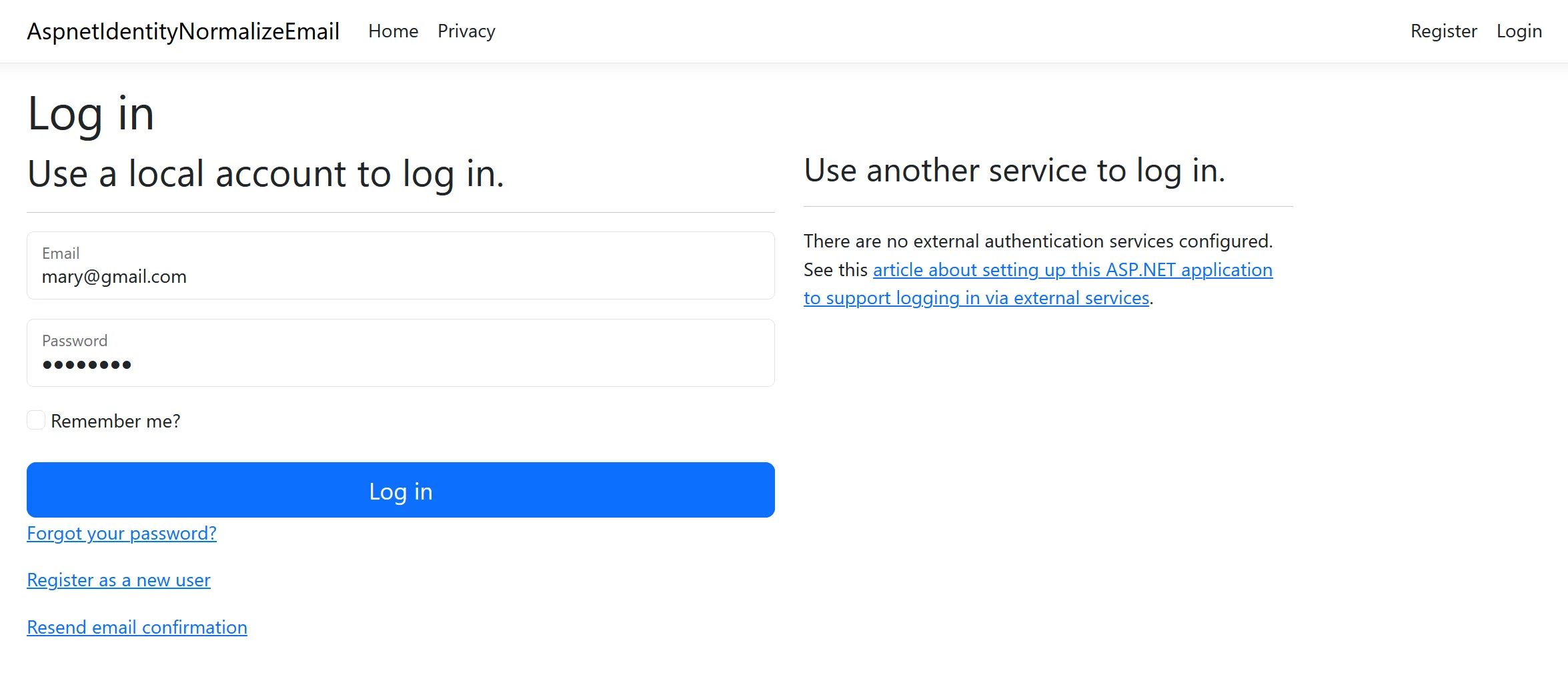
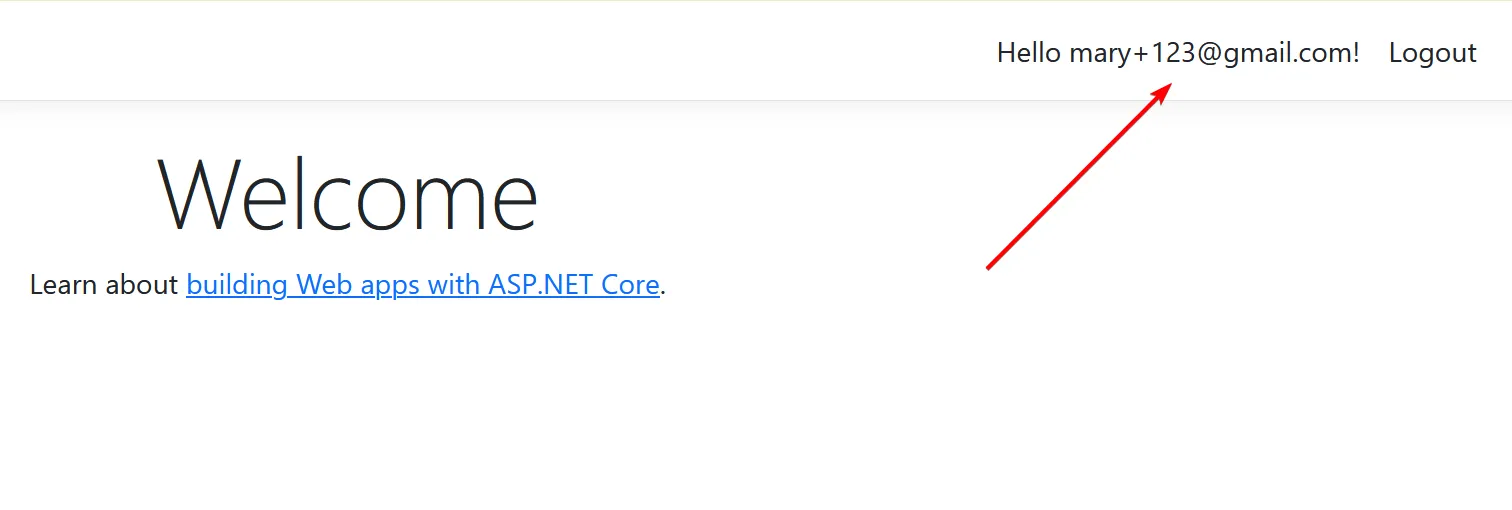
The login is allowed, but what makes this confusing is that, even though I logged in with mary@gmail.com, the username displayed in the navigation is mary+123@gmail.com.
Conclusion
In this blog post I demonstrated how we can prevent users from registering multiple accounts using plus addressing. We allow users to register an account with an email that uses plus addressing, but disallow subsequent registrations using the same underlying primary email address.
While this approach works, the user experience leaves a lot to be desired. We can fix the user experience, but it will require more work on our side. We’ll look at that approach in the next blog post.
Source code can be found at https://github.com/jerriepelser-blog/aspnet-identity-normalize-email.