Introduction
I was hoping that I could start using the AI prompts to start generating new content for my Anki cards, but it turned out I had more cleaning up to do. In the previous blog post, I spoke about cleaning up the parts of speech, which I hoped was the only real clean-up of the existing cards I had to do.
Well, it turned out that today, while reviewing my cards for the day, I came across the following card.
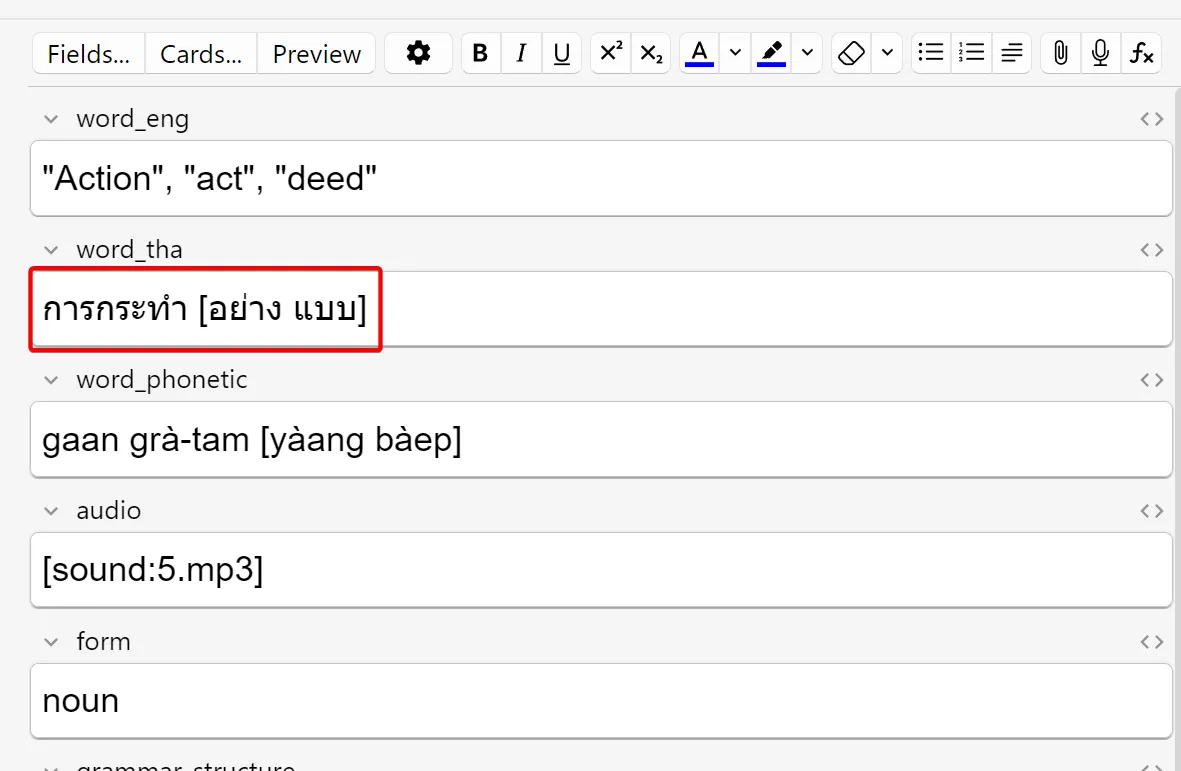
As you can see, the Thai word (การกระทำ) has additional information in the square brackets behind in - อย่าง แบบ. In this case, อย่าง and แบบ are the classifiers for this particular Thai word. This card was inherited from the Anki deck that I started off with, which put the classifiers in square brackets behind the word.
When I clean up my deck, the AI prompt will include the classifier in the response and I intend to add this as a separate field to my deck. For now, I could just remove these so that I can send only the Thai words in my prompt and not any additional information like these classifiers.
Fixing the problem
First, I needed to identify the cards where the Thai word contained the classifier in square brackets. I also know from experience that I have other cards where I have other characters or additional (non-Thai) text in the Thai word field of some Anki cards.
I decided the easiest would be to identify all these cards my evaluating all the cards against a regular expression that tests whether the Thai word contains anything other than Thai characters. All Thai alphabet characters fall in the Unicode range U+0E00–U+0E7F, so I could use character classes to match all Thai words that fall outside this range.
I settled on the following regex:
[^\u0E00-\u0E7F\s]This will match any character that is not part of the Thai alphabet, or a white space character.
Running this against my Anki deck indicated that I have 763 words that match this regular expression. In other words, Thai words that contain anything other that Thai characters.
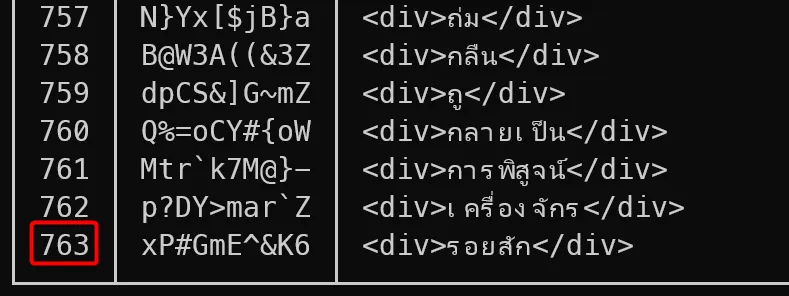
I reviewed the list and noticed that the most common ones I saw were things like <div>รอยสัก</div> or <span style="background-color: rgb(255, 255, 255);">ทวีป</span>. As you can see, in these cases, the Thai words are surrounded by HTML markup.
My previous workflow for adding Thai words were to look them up on Thai dictionary websites and then copy-and-paste the Thai words and English translations and descriptions from the website into my Anki deck. I suspect what happened was that when the word was copied to the clipboard, it also copied the surrounding HTML markup.
Nonetheless, I could identify various common patterns besides these so, once again, regular expressions are a great tool to help me clean up these words. I wrote a number of regular expressions that would match the various patterns and help me extract the correct Thai words from the surrounding non-Thai text.
After cleaning the words based on the patterns I could identify, I was still left with 116 words where the Thai word contained anything other than Thai characters. This was a massive improvement over the 763 I had before.
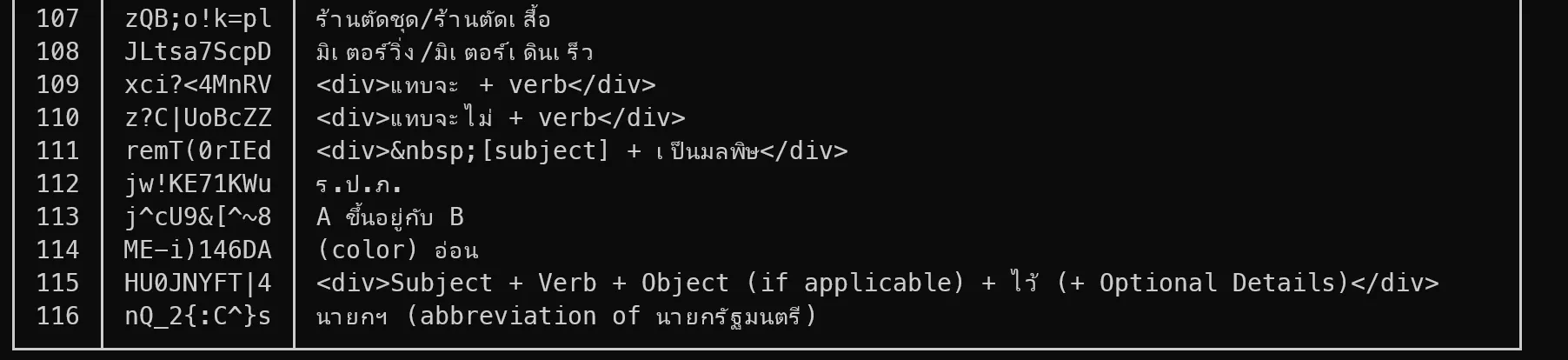
The remaining ones were words which were difficult to find specific patterns for. They were just weird mistakes or specific grammar patterns I am trying to learn such as ยิ่ง + verb/adj + (ก็) + ยิ่ง + verb/adj or พอ ... + (subject) + ก็ ....
I wrote a little app that would export and import them to CSV so I can review and correct them manually. Once I exported the words, cleaned them, and re-imported them, I was happy that all my Thai words were now in a state where I could start using the AI prompts to add proper translations, examples, etc.
Conclusion
In this blog post I continued cleaning my existing Anki deck by cleaning weird formatting and other artifacts in the Thai words. Next time, we’ll hopefully finally start using the AI prompts to start adding new translations and descriptions for my Thai words.
The code I wrote to assist me in cleaning up my Anki deck can be found at https://github.com/jerriep/AnkiCleaner. This code is very specific to my Anki deck layout and the specific issues I had with my Anki deck. It is unlikely to help you with cleaning up your own deck, but feel free to use it and adapt it for your own needs.