Introduction
In my previous blog post I looked at the options for exporting and importing data into Anki and settled on using the CrowdAnki add-on. In this post, I will start with cleaning up some of the existing data in my Anki deck.
I have exported my Anki deck to a JSON file using CrowdAnki, and will now be manupulating some of the data inside the JSON before eventually importing it back into Anki and the end of the blog post.
Also, to perform some of the clean-up mentioned in this blog post (and future blog posts), I have created a little utility application in C#. The source code for that can be found at https://github.com/jerriep/AnkiCleaner.
Handling parts of speech
The AI prompts I will use are structured in such a way that I will retrieve the details for a specific word based on its part of speech. In grammar, a part of speech (also called word class or grammatical category) is a category into which words are divided based on how they function in a sentence, such as verb, noun, adjective, etc.
For example, the word ทางอ้อม can function as both an adverb (meaning indirectly) or a noun (meaning detour). In cases like this, I want to create two separate Anki cards - one for each part of speech.
Parts of speech in my existing cards
In the first post I mentioned that my existing cards are a bit of a mess. This is partly because I started with an existing Thai language deck I downloaded from the internet and partly because I never had much consistency in how I approached things.
The parts of speech in my existing deck is a prime example of this. For example, you can see that sometimes a refer to an adjective as an adjective and sometimes as adj.
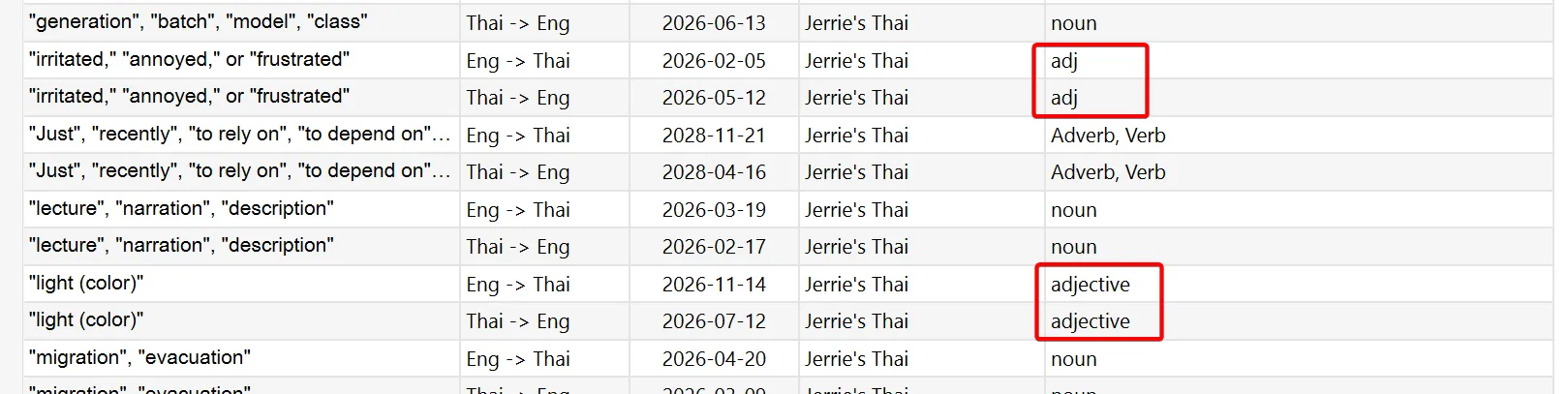
Also, despite the fact that I said earlier that I want to handle each part of speech as a separate card, I have many instances where I have a single card for multiple parts of speech.
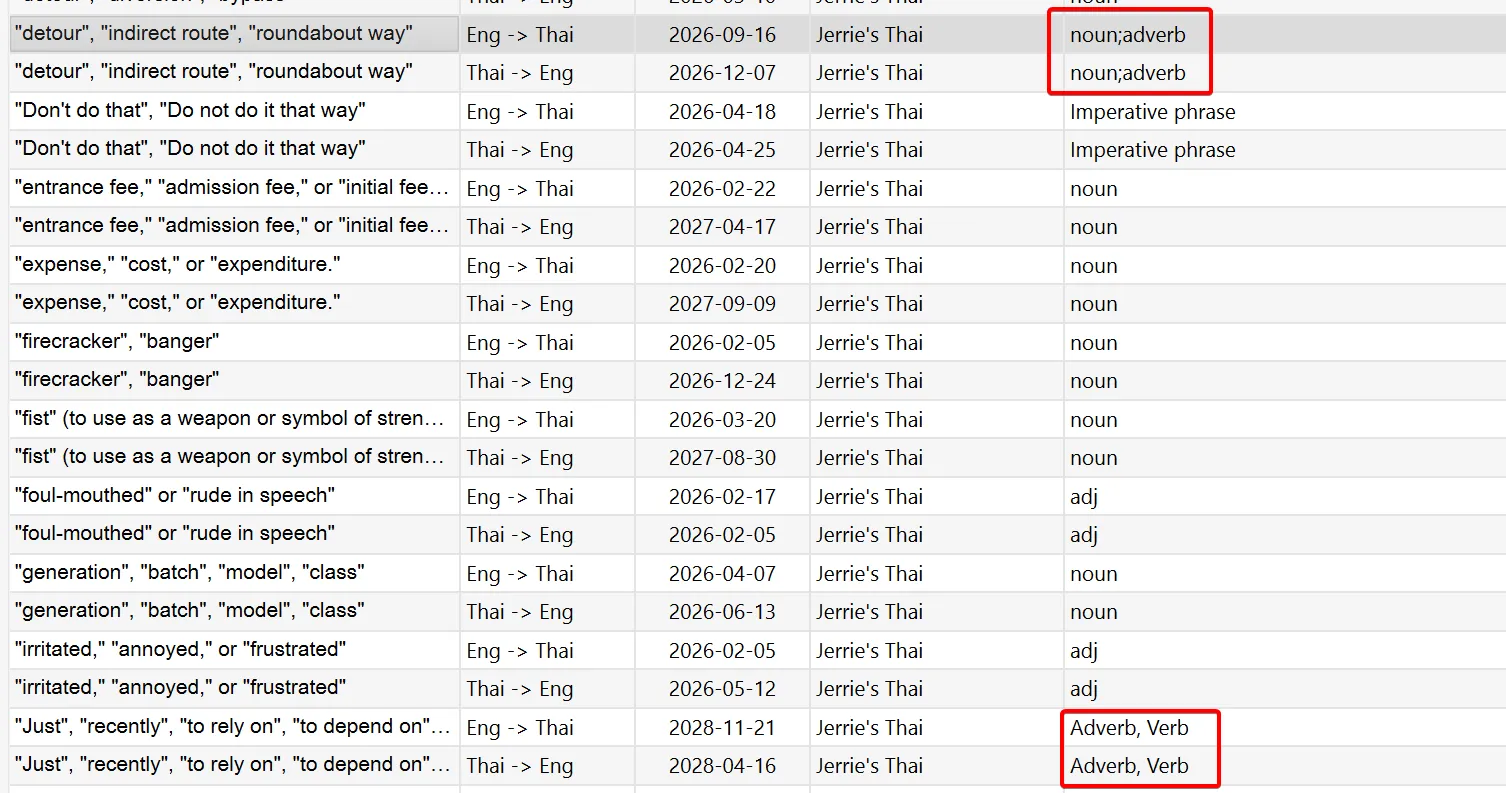
Not just that, but I would separate multiple parts of speech differently. In the first case above, I separate them with a semicolon, e.g. noun;adverb. In the second example, I use a comma, e.g. Adverb, Verb.
It is important for me to clean these up properly because, once I use the AI prompts to update the content, I would like to update the existing cards as much as possible - rather than create all new cards. The reason for this is that I don’t want to start learning all my cards from scratch. I want to keep my learning progress.
So, when I use the AI prompts to find, for example, the information for the word ทางอ้อม functioning as a noun, I want to locate the existing card for that combination in my deck and update it. In some cases, I may not have an existing card, so I will create a new one.
So, to do this, I need to clean up the existing data to ensure consistency in naming across the board.
The battle plan
The goal in cleaning up the parts of speech is to end up in a state where each card is assigned a single part of speech which is standardised to use the parts of speech returned by my prompts.
In the case where a card has multiple parts of speech such as ทางอ้อม which has noun;adverb, I will just choose the first one, in this case noun. This means that when the AI prompt responds that ทางอ้อม functions as both a noun and adverb, I will update the existing one (the noun) and create a new card for the adverb.
This would mean that as far as Anki is concerned, the adverb will be a new card I have to learn, but at least I keep the learning progress on the noun. This is not perfect, but I think it is making the best of the situation and is an acceptable compromise to me.
Updating the parts of speech
As far as updating the parts of speech in my existing deck, I won’t update each card individually since I have over 4,000 cards and it will take a long time. What I decided to do instead was to extract the unique values for the existing cards to a CSV file, which gave me something like the following:
current,new"<div>Noun, Preposition, and Adjective</div>",noun,Noun,adverb,<div>Verb</div>,<div>Adverb</div>,adj,<div>Verb and Preposition</div>,<div>Preposition/Conjunction</div>,adv,"<div>Determiner, Pronoun (can function as both)</div>",pro,Adverb,<div>Noun</div>,adv_pre,verb,"Preposition, Conjunction",<div>Pronoun</div>,"<div>Adjective, Verb</div>",number,...I ended up with 177 entries in total, which was much easier to work through than 4,000+ cards. You can get an idea of the mess and inconsistent state my parts of speech were in by looking at the list above.
I then went through all these items and, in cases where I wanted to use a different value instead, I added that value to the second column of the CSV. This left me with something like the following:
current,new"<div>Noun, Preposition, and Adjective</div>",nounnoun,Noun,nounadverb,adverb<div>Verb</div>,action verb<div>Adverb</div>,adverbadj,adjective<div>Verb and Preposition</div>,action verb<div>Preposition/Conjunction</div>,prepositionadv,adverb"<div>Determiner, Pronoun (can function as both)</div>",-pro,-Adverb,adverb<div>Noun</div>,nounadv_pre,-verb,action verb"Preposition, Conjunction",preposition<div>Pronoun</div>,-"<div>Adjective, Verb</div>",adjectivenumber,-...In cases like the noun on the third row above, I have no corresponding value in the second column, which means I will keep the value as-is. In the example where I had parts of speech set to <div>Noun, Preposition, and Adjective</div>, I flipped a coin and decided to replace all those with noun. Another example is pro, which I have no idea what it means, so I decided to clear the part of speech for those cards, indicated with a -.
With this in place, I applied the changes from the CSV to the CrowdAnki JSON file and imported the CrowdAnki JSON file into Anki.
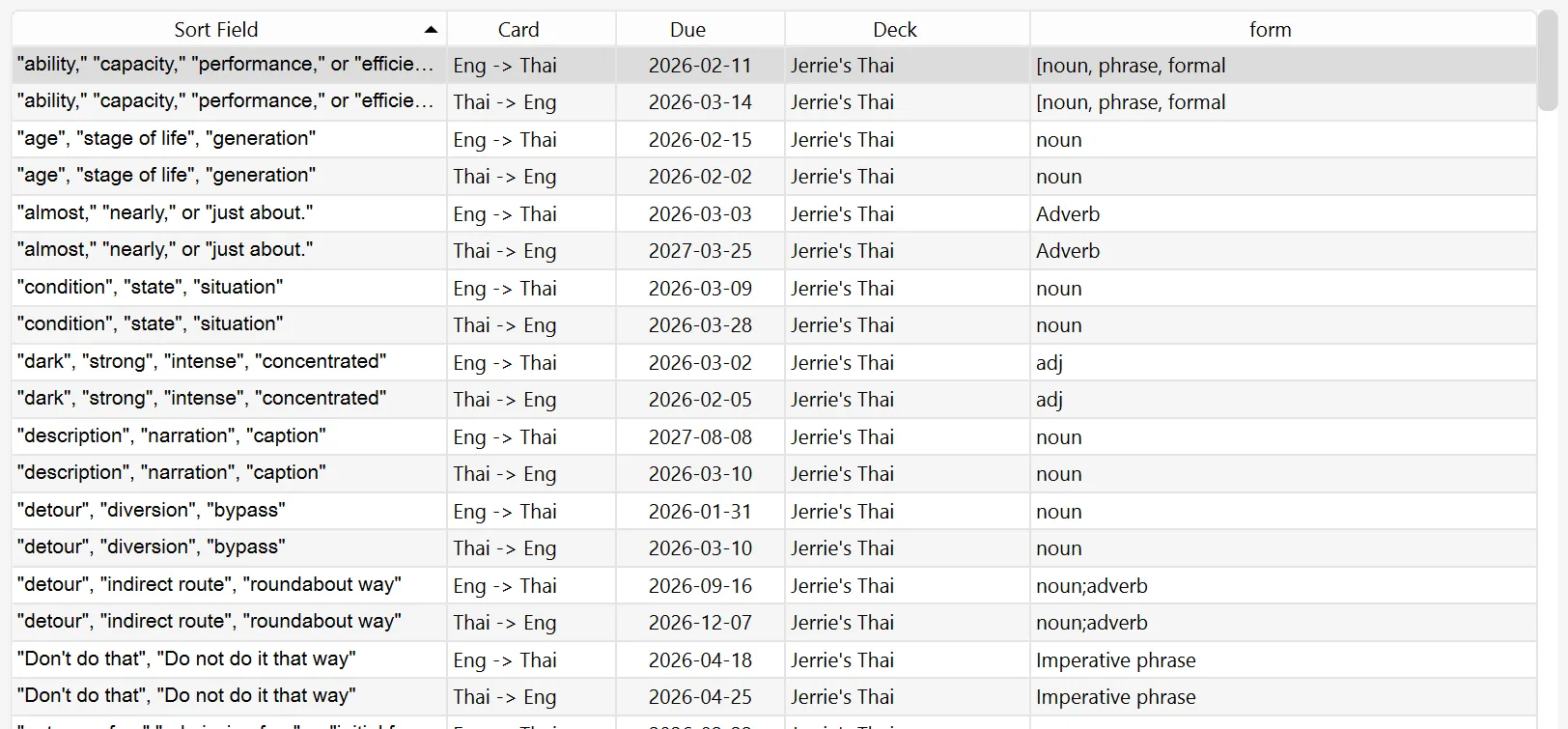
Here is a sample of cards from before applying the changes:
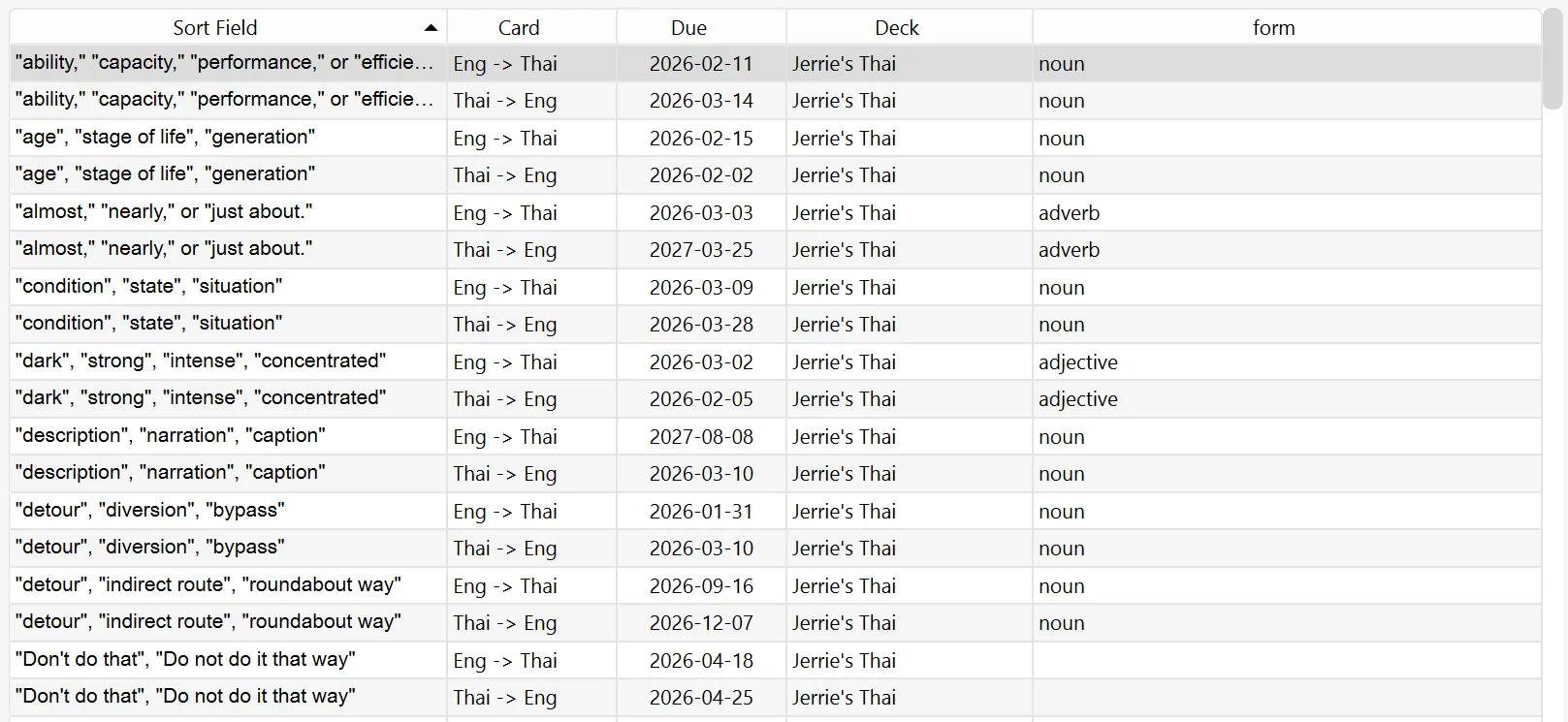
And here it is after applying the changes:
Conclusion
In this blog post, I standardised the parts of speech for my Anki deck. In the next blog post, I still have a bit more cleaning up of my Anki deck to do.
As mentioned at the start of this blog post, the source code for the app I coded to help me clean up this mess can be found at https://github.com/jerriep/AnkiCleaner. Feel free to use it at your own risk.