Learning Thai with AI: Enriching my Thai vocab with AI
/ 4 min read
Table of Contents
Introduction
In the previous blog posts (see part 1, part 2, part 3, and part 4) I spent time creating the AI prompts for enriching my Thai vocab, figuring out how I would export and import changes, as well as doing some clean-up work.
All that work got me to the point where I could finally clean up the Anki cards for my Thai vocabulary.
As a reminder, the reason I wanted to clean up the Anki cards is that my existing cards were in a messy and inconsistent state.
- Many cards were missing parts of speech (i.e. verb, noun, adjective, adverb, etc.)
- Some cards were combining several parts of speech on a single card, whereas I wanted a single card for each part of speech
- Some cards were missing the phonetic pronunciation (which I do not use much any more, but it is still a useful safety net)
- Some cards had audio with the pronunciation and others not. I decided to get rid of it for all cards
- The format of my “notes” field with more information were inconsistent with the information it contained
- Various formatting inconsistencies across cards
Anki card design
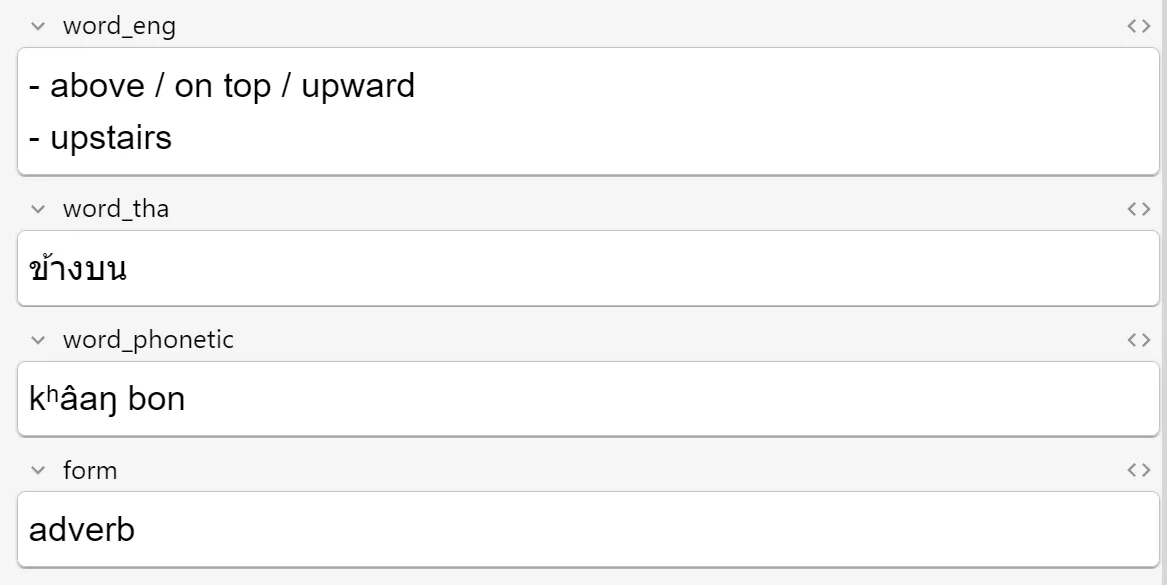
As part of creating the AI prompt to clean up my cards, I also updated the fields I use for each card. For each card I have the basics, such as:
- The Thai word
- The English translation(s)
- The phonetic pronunciation with tone marks when applicable
- The part of speech (called “form” on my cards)
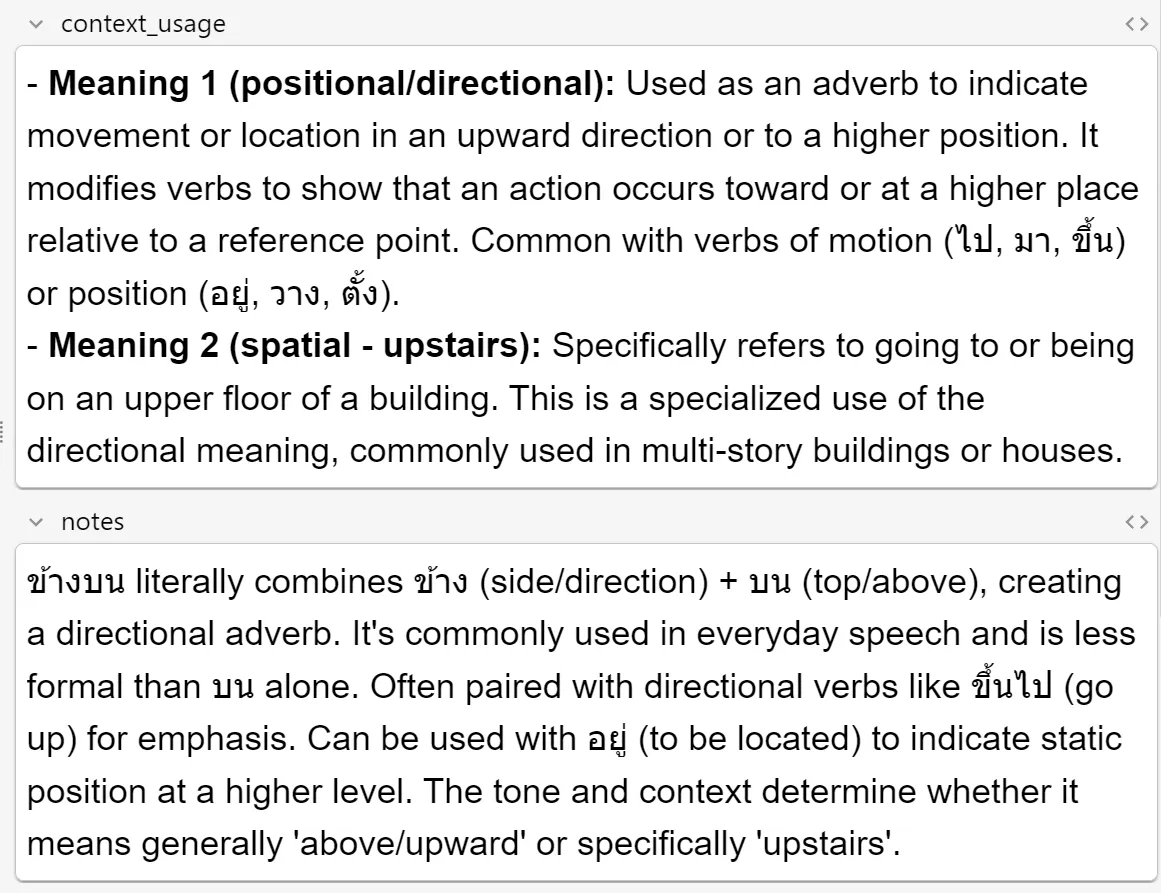
For each word I also added a “context and usage” field that details how and when to use the word. If a word has multiple meanings, it will split this information for each meaning. I also added a general notes field that contain general notes the AI think is applicable.
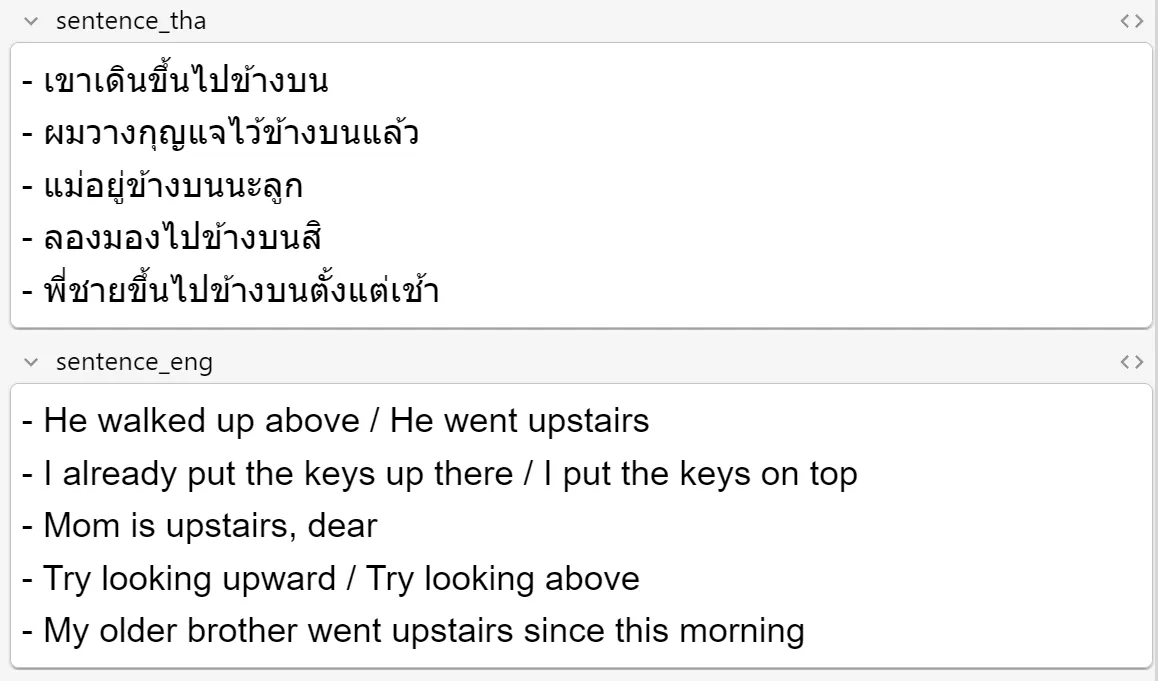
Each card also contains example sentences in Thai and English.
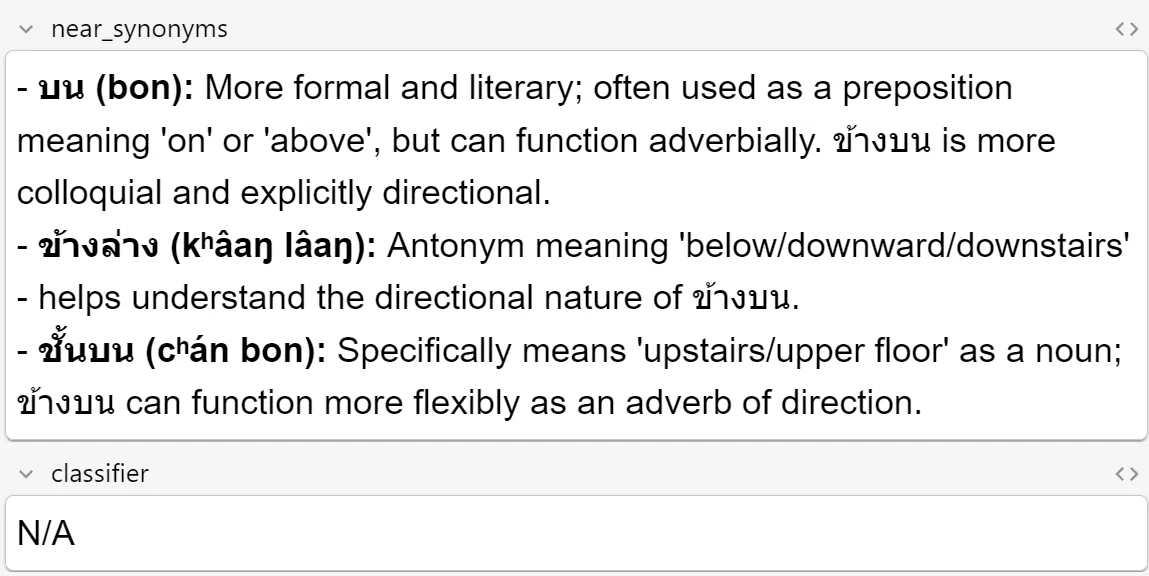
One of the things that constantly trip me up is that words can have many synonyms with slightly different meanings or that are used in different formality settings - some words in Thai are used mostly in written or formal situations like news broadcasts, and others that are used in everyday speech. So, I added a field for the various synonyms. I also added a field with the classifier.
Enriching the cards
To enrich the cards, I created a little application what will iterate over the cards and use the AI prompts I created previously to first determine the valid parts of speech for the Thai word on the card. Then, for each part of speech, I will use the second AI prompt to get the information for all the other fields on my Anki card.
Since my Anki deck already contained cards with learning progress, I used the following logic to decide whether to update an existing card, or create a new card.
- The first step was to match the parts of speech returned by the first AI prompt to the parts of speech on existing cards. Where I had exact matches, I will update those cards accordingly with the second prompt.
- Then, I would iterate over the remaining parts of speech from the first prompt and use the second prompt to retrieve the additional information about the word.
- If I had remaining Anki cards for that word, I would reuse them
- Otherwise, I would create a new Anki card
It was then simply a case of running the application and letting it do its thing, which took probably around 12 hours altogether and burned through around $70 of AI API credits. After that, I had an updated Anki deck.
You can find the source code for the application I wrote at https://github.com/jerriep/AnkiCleaner. It is based on my Anki deck design and layout, so it won’t work for your Anki deck. But if you want to adapt it for your own use, feel free to use it.
Conclusion
That concludes this series on using AI to clean up my Anki deck. I must say that the AI had me quite frustrated at times as it would return incorrectly formatted responses, or ignore some of my instructions. Refining the prompts sorted out most of those issues.
The results may not be 100% perfect and Thai natives will likely find problems with some of the translations and usage of the words, but it is good enough for my purposes. I can fix things manually if I come across any errors.
I still need to figure out how to add new words that I learn on a daily basis to my deck. I will reuse the same AI prompts for those, but my workflow for adding the details to my Anki deck will be different. I have not yet figured out how to do that part. Once I do, I will write another blog post about it.